
joya70 – Bangladesh Slots and Sportsbook, Built for Your Phone
Slots, live tables, crash rounds and cricket markets share one wallet, and the cashier takes bKash, Nagad, Rocket and Upay without a detour to a bank page. Access depends on local law and eligible regions, so confirm yours before you open an account.
Access may be available only where local law permits.
joya70 · Bangladesh
Service availability depends on eligible regions and local law. Users should check local rules before opening an account.

joya70 Puts Every Room on One Screen
One screen shows every room we run, so you move from a slot to a live table without hunting through menus.
Is Your Account Safe Here?
Your connection to the lobby runs over SSL, so the password and wallet numbers you type are encrypted in transit. Every login also asks for the one-time code sent to your registered number, which means a password alone will not open the account. Each wallet movement leaves a receipt you can open later, so a bKash, Nagad or Rocket transfer can be traced without raising a ticket. Personal and payment details are held with our payment partner rather than copied across the site.
What a New Account Opens

Slot players see the current welcome offer inside the cashier before the first cash-in, with the qualifying conditions on the same page. Terms apply.
Open Your Account
Cricket markets carry their own welcome offer, and the conditions sit beside the wallet buttons rather than on a separate page. Terms apply.
Open Your AccountFrom Number to First Round
Register
Add your mobile number, set a password and confirm the code we text.
Cash in
Pick bKash, Nagad or Rocket in the cashier and key the transaction ID.
Choose a room
Open a slot row, a live table or the cricket markets from the tab bar.
Play
Set your stake per round and keep your balance in view.
Cash out
Request the amount back to the wallet registered on your account.
Rooms You'll Open First

bKash PayoutNow

Teen Patti Round

Slot Tornado
Roulette SpeedBoost
Live Poker Pro

Football Betblitz
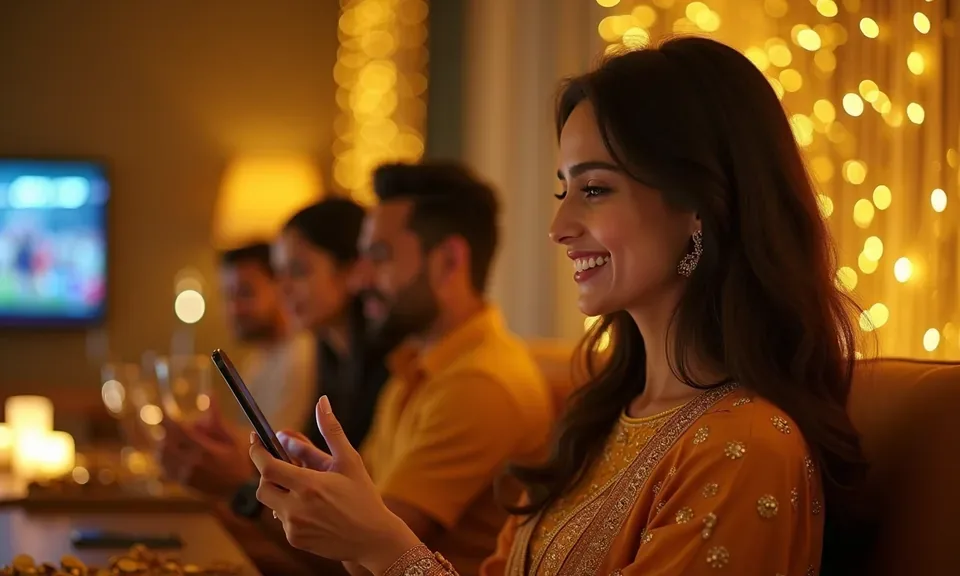
The Lobby Fits Your Phone
We built the lobby phone-first. Slot rows swipe with a thumb, the cashier keeps your wallet buttons within reach, and live tables are laid out for a portrait screen. There is no download to sit through — the same page opens in Chrome or Safari, and you can pin it to your home screen so it launches like an app. Sign in later on a tablet or a larger screen and your balance and open game come with you.
Sort These Out Before You Open an Account
Opening an account takes a few taps: a mobile number, a password, and the wallet you plan to use for cash-ins. Once that is done the lobby loads with slots, live tables, crash games and the sportsbook sitting in the same menu bar. We ask that your name match the bKash, Nagad or Rocket account you will use, because that match is what keeps a cash-out from stalling later. If a step sticks, the help desk is in the corner.
Start With Your Number
Tap the open-account button, key in your mobile number and pick a password you have not used elsewhere. A one-time code confirms the number is yours, and that same number becomes your login for later sessions.
Match Your Wallet Name
Your account name should match the bKash, Nagad or Rocket wallet you plan to use. Same name on both sides keeps a withdrawal from bouncing back at the verification step, which is the usual reason a cash-out sits pending.
Scroll the Lobby First
Before you put money in, walk the game rows. Slots sit beside live tables, crash titles and cricket markets, and each card tells you the studio behind it. Browse on the device you actually use most.
Ask Before You Guess
If something looks off — a code that did not arrive, a game that will not load — message the help desk instead of trying a second account. One account per person keeps your history in one place and saves a long cleanup.
Platform at a glance
What's Running in the Lobby
Money In and Out on bKash, Nagad, Rocket
The cashier runs on the wallets you already have: bKash, Nagad, Rocket, Upay and ordinary bank transfer. Pick a rail and we show the receiving number plus a reference, so your transfer matches on the first try. Send from your own wallet, confirm with your PIN, then key the transaction ID back into the cashier. Cash-outs follow the same route in reverse, back to the wallet registered on your account. Which rails you see depends on local law and your eligible region.
One Lobby, Any Screen
The same lobby opens on a phone in your hand, a tablet on the table and a larger screen at home, with your balance following the login.

Frequently Asked Questions (FAQ)
These are the questions that come up most from players opening a lobby for the first time — account setup, wallet rails, phone access and where a transfer goes when it seems slow. Each answer points at the exact screen or step involved, so you can act on it without messaging support first.
Moving Between Slots, Tables and Sports
The lobby is one scroll with the tabs held at the very header: slots, live casino, crash, sports and the cashier. Tap a tab and the rows change under it; your balance stays in the header, so you always know what you are working with. To find a title, use the search box and type the studio or the game name — Roulette SpeedBoost, Live Poker Pro and Baccarat RoyalFlush all come up that way. Sports markets open in their own tab, cricket first during a series. The account area sits behind your number in the corner, where wallet settings and past activity live.
Switching Rooms
The tab bar above the game rows moves you between slots, live tables, crash and sports without losing your place. If you need to move money mid-session, the cashier tab sits on that same bar.
Finding One Title
Type part of the name into search and match the studio printed on the card. Aviator, Gates of Olympus and Mahjong Ways all sit in the crash and slot rows, and the list narrows as you type the letters.
Getting to the Sportsbook
Cricket markets sit in their own tab, with BPL and international fixtures grouped by start time. Football and kabaddi follow the same layout, so once you have read one market you can read them all.
The Account Corner
Your number sits in the header and opens the account area, where wallet settings and past activity live. Change your password from there, and check the number tied to your one-time codes before you travel.